


代码:
index.js、init.js、package.json处于同一文件夹内!!!
index.js
const fs = require('fs');
const docx = require('docx');

const { Document, Paragraph, TextRun, ExternalHyperlink } = docx;

const {jobList} = JSON.parse(fs.readFileSync('./job.json', { encoding: 'utf8'})).zpData
const externalHyperlinks = []
jobList.forEach(({jobName, encryptJobId}) => {
    const link = `https://www.zhipin.com/job_detail/${encryptJobId}.html`
    externalHyperlinks.push(new Paragraph({
        children: [
            new ExternalHyperlink({
                link: link,
                children: [
                    new TextRun({
                        text: jobName,
                        underline: true,
                        color: '0000FF',
                    }),
                ],
            })
        ]
    }))
})

const doc = new Document({
    sections: [
        {
            properties: {},
            children: externalHyperlinks
        },
    ],
});
docx.Packer.toBuffer(doc).then((buffer) => {
    // 将buffer写入到文件
    require('fs').writeFileSync("./job.docx", buffer)
})
init.js
const fs = require('fs');

fs.writeFileSync('./job.json', JSON.stringify({}), { encoding: 'utf8'})
package.json
{
  "name": "boss",
  "version": "1.0.0",
  "description": "",
  "main": "index.js",
  "scripts": {
    "test": "echo \"Error: no test specified\" && exit 1"
  },
  "keywords": [],
  "author": "",
  "license": "ISC",
  "dependencies": {
    "docx": "^8.5.0"
  }
}
使用教程:
- 进入https://www.zhipin.com/web/geek/job
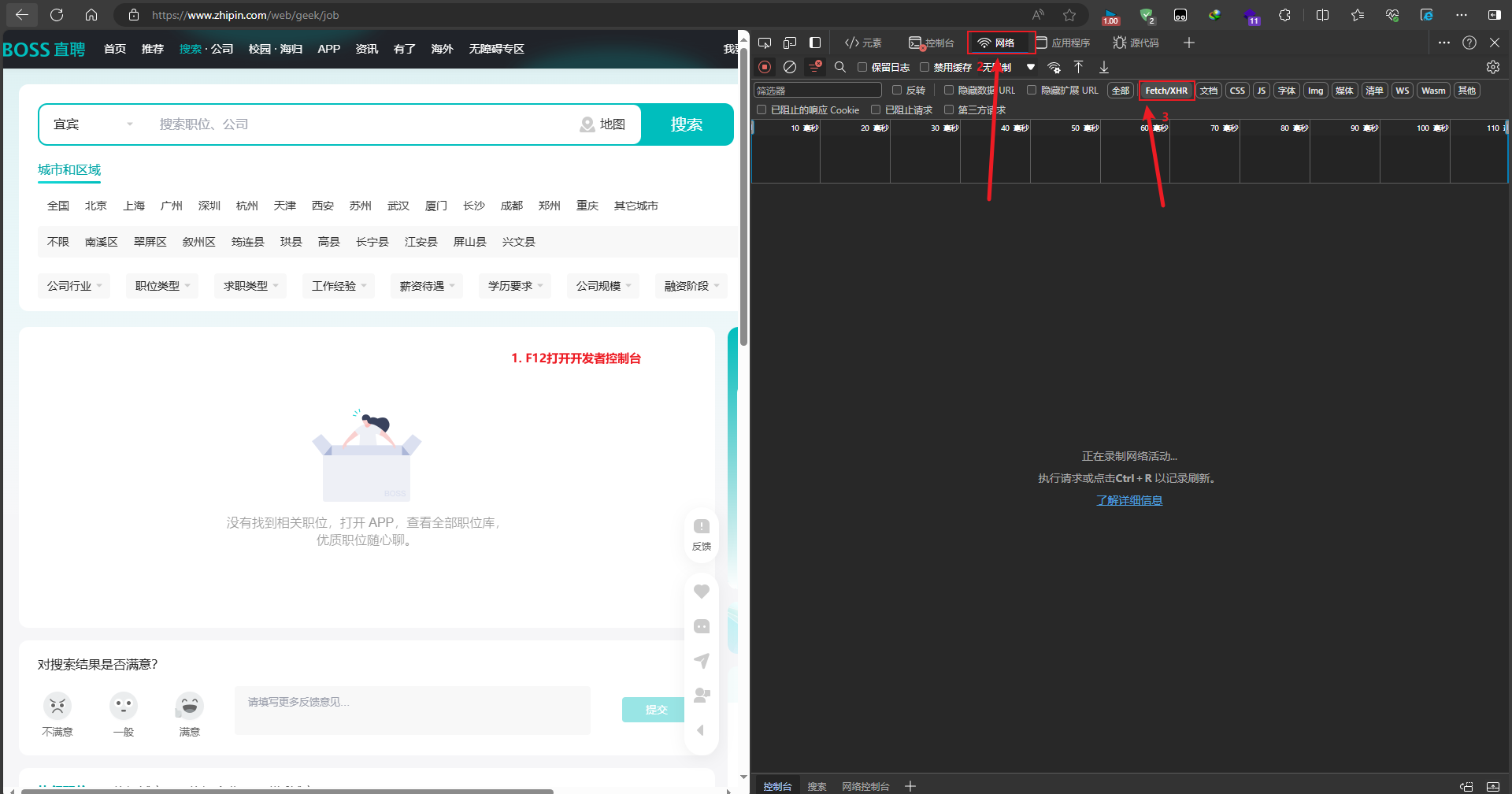
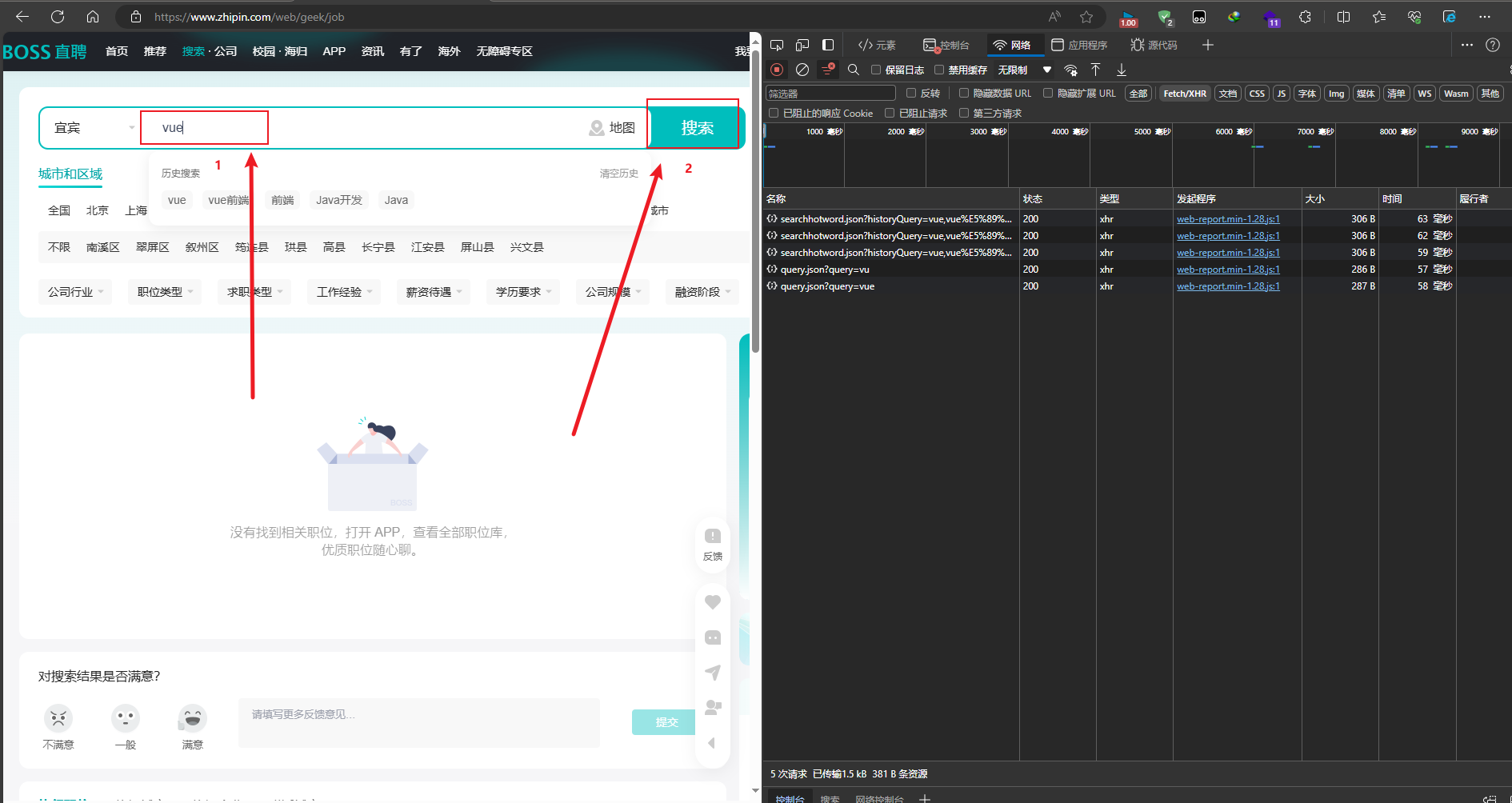
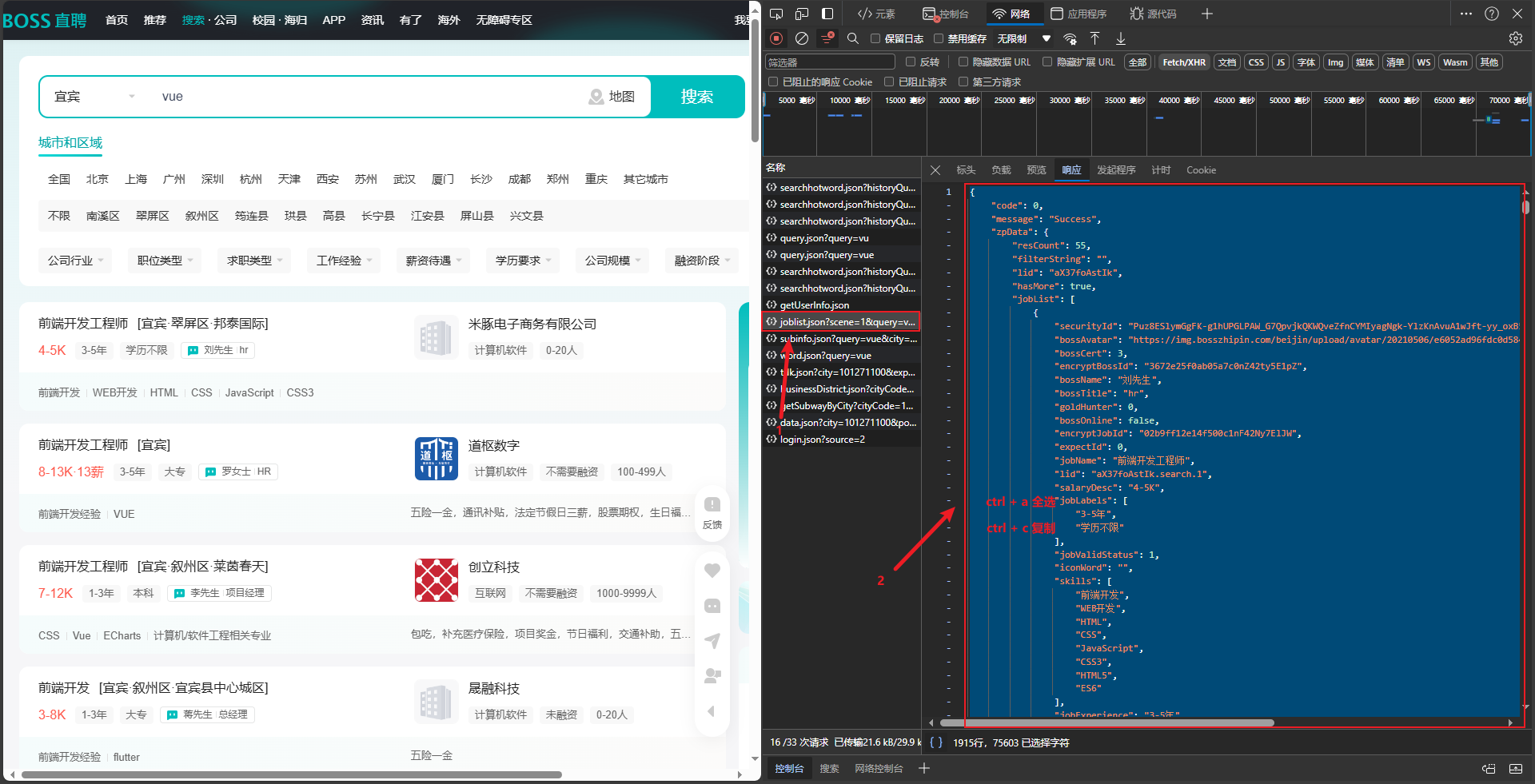
- 打开存放代码的文件夹,然后
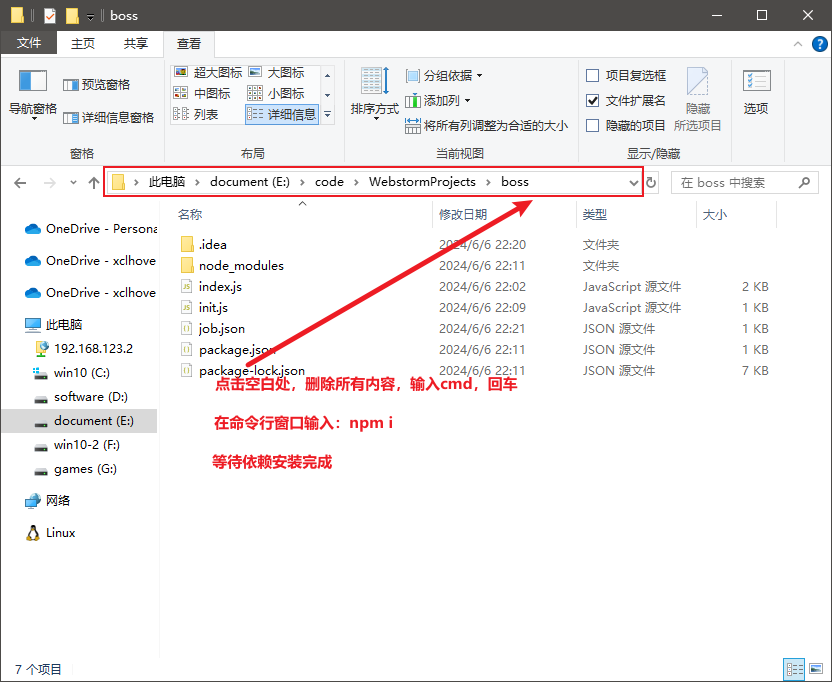
- 执行
init.js,命令:node init.js,执行完会产生一个job.json的文件 - 将刚从浏览器复制的内容粘贴到
job.json - 执行
index.js,命令:node index.js,会产生一个job.docx文件,搞定 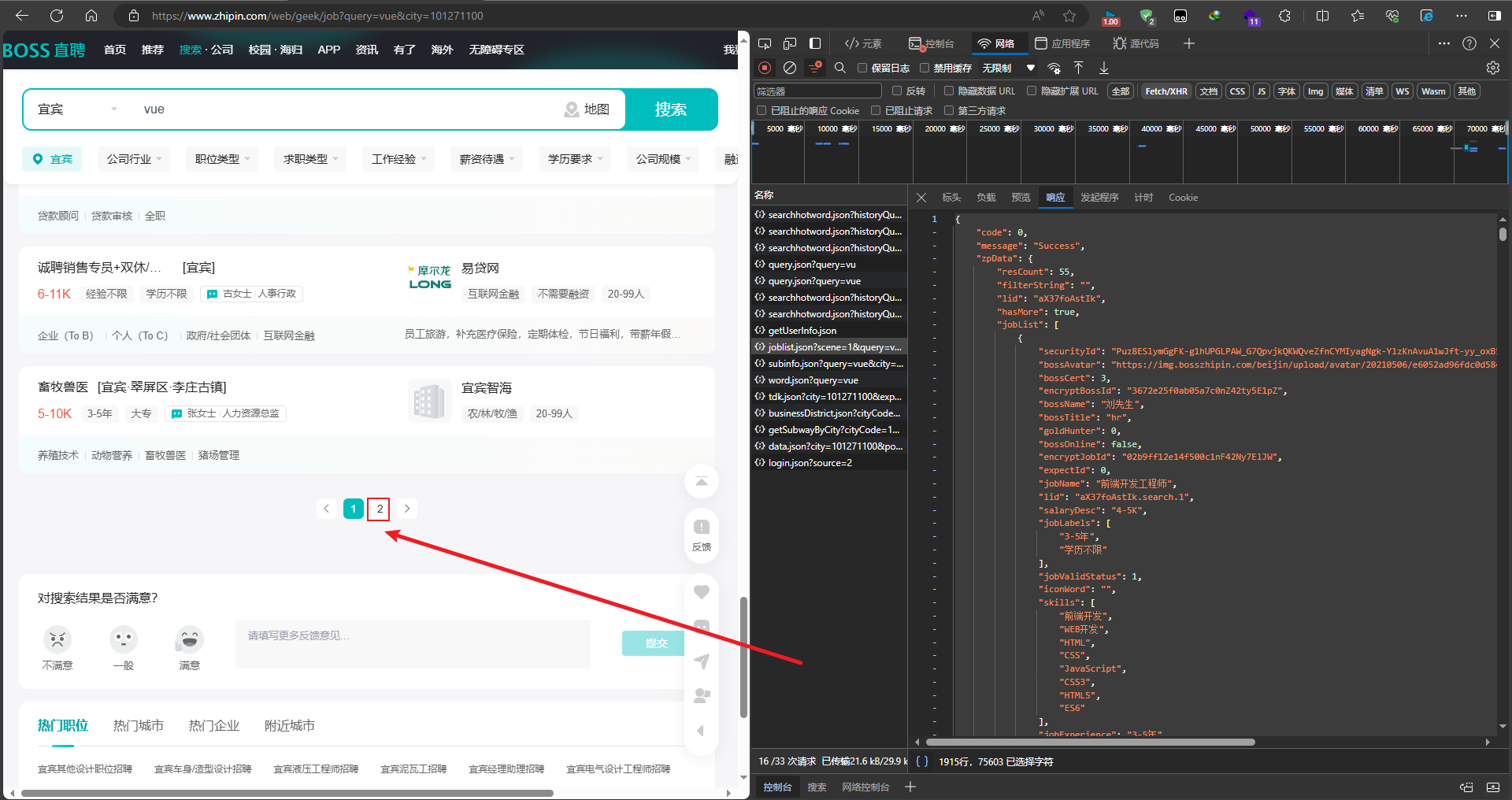
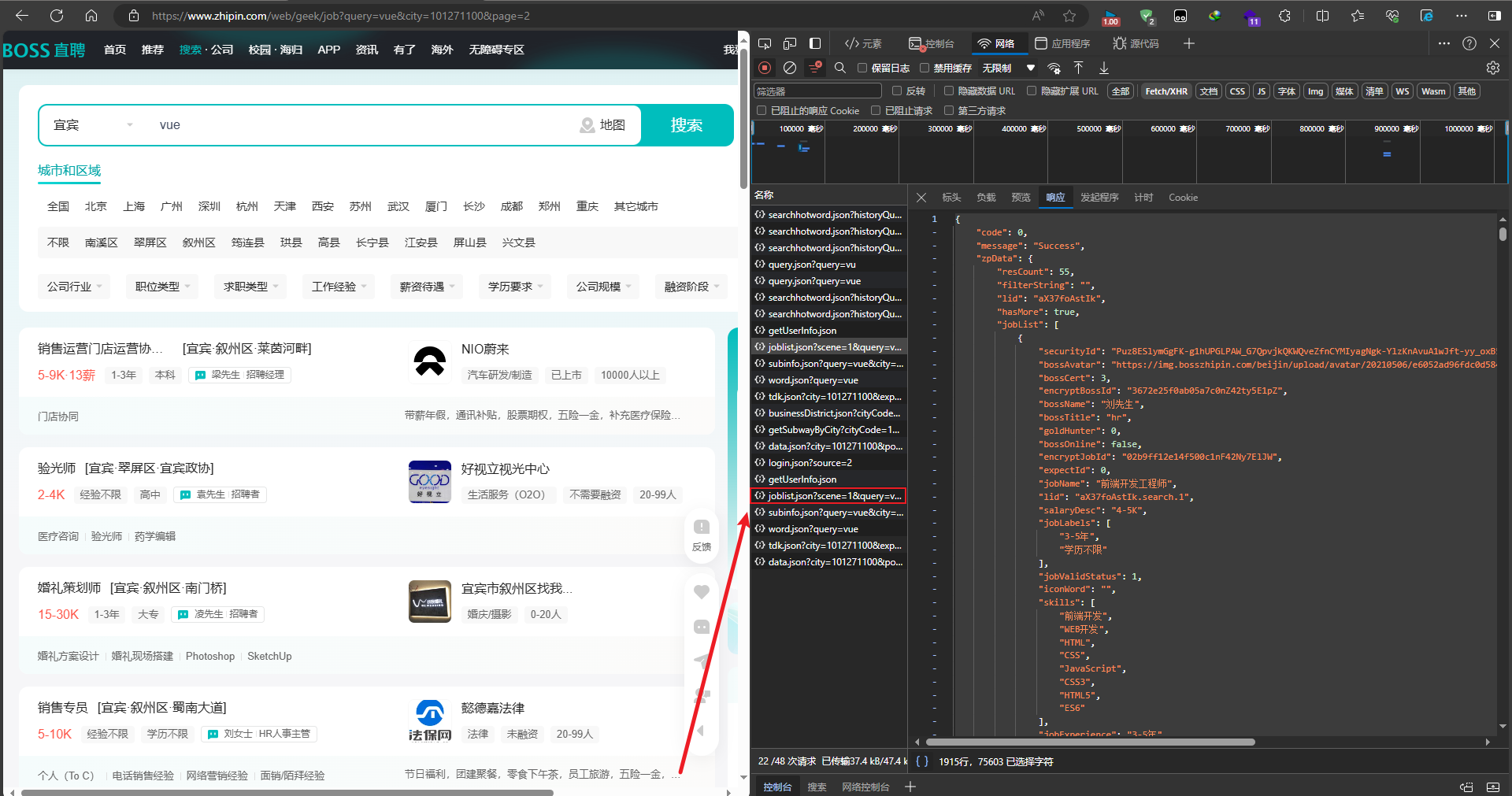
- 跳到第7步